
Reference

About Us at jos110

jos110 brings Live Blackjack Royal, Merapi Fire Slots and football markets into one account path, with DANA and QRIS shown beside your wallet status.

DANA walletQRIS accessPhone verificationMobile lobby
jos110 About Us at jos110
jos110 One Account, Clearer Indonesia Access

One Account, Clearer Indonesia Access

Our work begins with making the account route easy to follow. At jos110, you create your account, confirm your phone number, then use the same login for casino rooms, live tables and sports pages. We keep wallet choices visible near the cashier so you can tell whether DANA, OVO, GoPay or QRIS is available before continuing. Bank transfer and virtual account routes

are also shown when relevant. In Makassar or elsewhere in Indonesia, the mobile path moves from login to the lobby without requiring a separate app. Access depends on local law.

  • DANA
  • OVO
  • GoPay
  • QRIS
INSIDE OUR ROOMS

What You See After Login

The lobby is arranged around the choices you make after account access, rather than hiding them behind separate sign-ins.

Updated today
jos110 Casino and live areas
LOBBY

Casino and live areas

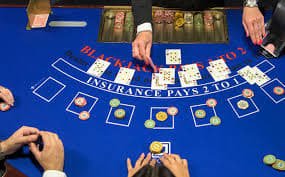
Our casino area includes Merapi Fire Slots and Fishing War Mobile Play, while the live area places Live Blackjack Royal beside dealer-table choices. You can browse these rooms after phone verification without creating another account for each category.

jos110 Cashier context
WALLET

Cashier context

We place DANA, OVO, GoPay and QRIS status near the account wallet so you can check the route before sending funds. Bank transfer and virtual account steps remain part of the same cashier path when they are available.

jos110 Local availability wording
ACCESS

Local availability wording

We describe Indonesia access plainly: account availability depends on local law. This gives you a clear point to check before using the lobby, whether you are opening it on mobile or returning from a desktop browser.

ACCOUNT SNAPSHOT

The Structure Behind Your Login

1
account for casino and sportsbook
4
named local wallet rails
2
browser paths: mobile and desktop
3
sports topics: football, badminton, basketball
HELP NEARBY

Help When Account Steps Stall

Account questions often happen at a specific moment: after a phone check, while a wallet status is pending, or when a receipt needs matching. We keep help close to those steps instead of making you search across unrelated pages. Start from the account area and use the details already shown there.

Team online

Login access checks

If your login does not continue after phone verification, begin from the account access screen and check the number entered. Our help path is designed around that exact step, so you can identify whether the issue is verification or an incorrect login detail.

Wallet status checks

When DANA, OVO, GoPay or QRIS status does not update as expected, keep the transaction detail available before asking for help. Receipt and status checks are handled close to the cashier path, where the selected wallet route is visible.

Bank route questions

For bank transfer or virtual account questions, check the displayed account instructions before continuing. BCA, BRI, Mandiri and BNI banking context may appear with the route, helping you compare the details shown in your own cashier session.

CLEAR WORKING DETAILS

How We Keep Account Details Visible

Clear operational details matter more than broad claims. We show the account sequence, named wallet routes and category labels so you can understand what happens before entering a room.

Phone confirmation first

We use phone verification before account access so the contact detail tied to your login is confirmed early. That step gives you a defined starting point if you later need help with access, wallet status or an account detail.

Named wallet choices

DANA, OVO, GoPay and QRIS appear by name rather than as unclear wallet labels. You can compare the available route in your cashier view before proceeding, with bank transfer and virtual account options shown when relevant.

Receipt-led status checks

A transaction receipt is useful when a wallet status needs checking. We ask you to retain the displayed details from your own cashier session, making it easier to match the selected route and the status attached to it.

Named lobby content

We label rooms with recognisable titles such as Aviator Quick Arena, Boxing Title Bet and Live Blackjack Royal. This helps you see the category you are entering instead of relying on broad labels that do not explain the room.

One browser account

Your mobile browser and desktop browser use the same account route. After login, you can head to the lobby from either view without a separate app installation or a second account for casino and sports sections.

Local access statement

We use direct availability wording for Indonesia: access depends on local law. This is shown as part of the account context, so you can consider local availability before using the wallet or entering any lobby category.

CONSISTENT ROUTES

The Same Details Across Your Journey

Consistency means the details you see at login should still make sense when you reach the cashier or open a game category. We connect those points through one account session.

01

Account creation

You enter your account details once, then move to phone verification before access. We do not position casino rooms as separate account destinations, so your initial setup remains connected to the rest of your available lobby path.

02

Phone verification

The confirmation step sits before account access, not after you have searched through game categories. This gives you a clearer point to resolve a login issue and keeps the verified number associated with your account session.

03

Mobile browser

On mobile, the route moves from login to the lobby in one browser path. You can check wallet status, browse Merapi Fire Slots or open sports categories without installing a separate application.

04

Desktop browser

Desktop access uses the same account details and category structure as mobile. The larger layout can make it easier to compare live tables, casino rooms and sports pages while keeping the wallet area within the account session.

05

Casino categories

Casino room labels identify specific choices such as Fishing War Mobile Play and Aviator Quick Arena. We use named content so you can decide where to head next without guessing what a broad category contains.

06

Sports categories

Football, badminton and basketball sit within the sportsbook side of the same account. Piala Presiden Match Bet and Boxing Title Bet show the type of market context available when you switch away from casino pages.

07

Cashier display

The cashier keeps DANA, OVO, GoPay and QRIS visible in the account flow. When a bank route applies, virtual account and bank transfer instructions can be checked before you continue with that route.

BRAND HIGHLIGHTS

Useful Details Built Into jos110

The parts that define us are practical ones you can see while using your account.

Clear phone step Your phone verification appears before account access, giving you a…
Local wallet labels We show DANA, OVO, GoPay and QRIS by their familiar…
Casino room labels Merapi Fire Slots and Fishing War Mobile Play are displayed…
Live table context Live Blackjack Royal sits within our dealer-table context, alongside familiar…
Sports beside casino Football, badminton and basketball markets remain available through the same…
Indonesia availability wording We state that access depends on local law when local…

Answers About Our Account Setup

These answers focus on what you can expect from our account structure, lobby organisation and Indonesia wallet context. We have kept them specific to the steps you meet first: creating an account, confirming a phone number, checking a wallet route and choosing a casino, live or sports area. Local access depends on local law.

Our About Us page explains how we organise one account for casino rooms, live tables and sports pages. It also describes the phone verification step, Indonesia wallet labels and the mobile browser route from login to the lobby.

We describe a clear order: create your account, complete phone verification, then enter the lobby with the same login. Your account can be used across casino, live and sportsbook sections without creating separate category accounts.

Our cashier context uses DANA, OVO, GoPay and QRIS as named local wallet routes. Bank transfer and virtual account steps can also appear when relevant, with BCA, BRI, Mandiri or BNI context shown in the selected route.

Yes. We use the same account details for mobile and desktop browser access. On mobile, you move from login to the lobby in one path, while desktop keeps the same wallet, casino, live-table and sports category structure.

Named examples include Live Blackjack Royal, Merapi Fire Slots, Aviator Quick Arena, Fishing War Mobile Play, Boxing Title Bet and Piala Presiden Match Bet. These labels help you identify whether you are opening a casino, live or sports area.

Keep the transaction receipt and the wallet route shown in your cashier session. Then use the account help path to check the status. This is especially useful when DANA, OVO, GoPay or QRIS does not display an update as expected.

Availability depends on local law. We present this wording as part of the account context so you can consider local access before entering the lobby, using a wallet route or continuing through the account setup process.